How to Build Custom Marketing Dashboards That Clients Actually Use
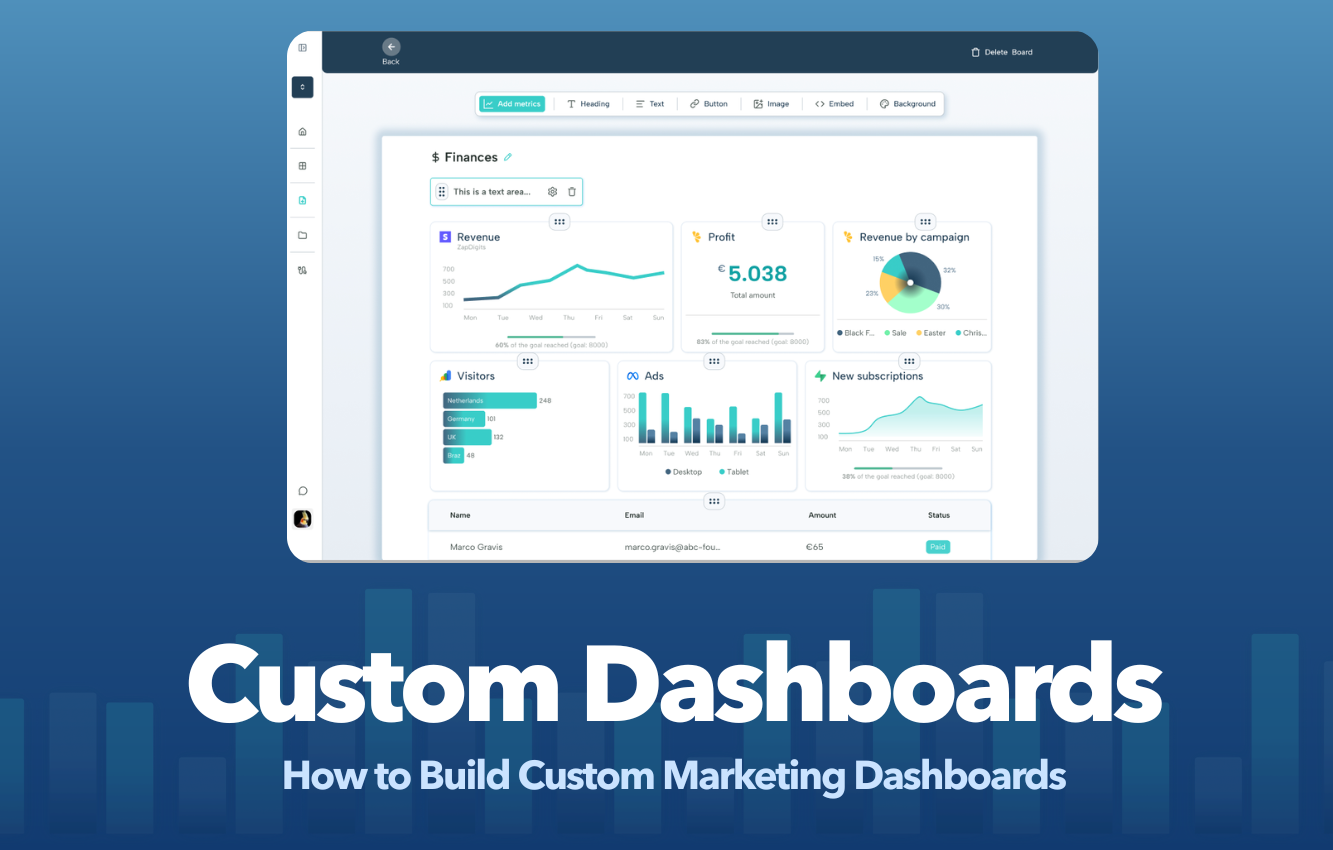
Learn how to build custom client marketing dashboards that showcase results, improve client retention, and eliminate hours of manual reporting.
Marketing dashboards have become essential for agencies, consultants, and in-house marketing teams. Clients expect real-time visibility into campaign performance, lead generation, advertising spend, SEO growth, and revenue impact.
Yet many agencies still rely on spreadsheets, screenshots, and manually assembled reports.
The problem isn't a lack of data.
The problem is presenting that data in a way clients can understand and act on.
In this guide, you'll learn exactly how to build custom client marketing dashboards, which metrics matter most, common mistakes to avoid, and how to automate reporting so you can spend less time building reports and more time improving results.
What Is a Custom Client Marketing Dashboard?
A custom client marketing dashboard is a centralized reporting interface that combines data from multiple marketing platforms into a single view tailored to a specific client.
Instead of forcing clients to log into Google Analytics, Meta Ads, Google Ads, Search Console, LinkedIn Ads, HubSpot, and dozens of other tools, a marketing dashboard brings everything together in one place.
A well-designed dashboard answers questions like:
- How many leads were generated this month?
- Which marketing channels are performing best?
- What is the return on ad spend?
- Are website conversions increasing?
- Is organic traffic growing?
- Which campaigns deserve more budget?
The best dashboards don't simply display data.
They provide context, trends, and actionable insights.
Why Most Marketing Dashboards Fail
Many agencies build dashboards that look impressive but provide very little value.
Common problems include:
Too Much Data
Clients rarely want to see 50 different metrics.
They want answers.
Displaying every available metric creates confusion and information overload.
No Business Context
Showing impressions, clicks, and sessions is useful only when connected to business outcomes.
Clients care about:
- Leads
- Revenue
- Cost per acquisition
- Customer growth
- Return on investment
Different Data Everywhere
When reporting exists across multiple disconnected tools, clients struggle to understand the bigger picture.
A dashboard should unify all marketing efforts into one story.
Reports Become Outdated
Static PDF reports become irrelevant the moment they're sent.
Modern marketing dashboards should update automatically.
Benefits of Custom Marketing Dashboards
Organizations that implement client dashboards often see improvements in:
Better Client Retention
When clients can easily see results, they're less likely to question your value.
Transparency builds trust.
Faster Decision Making
Real-time performance data helps both agencies and clients react quickly to opportunities and problems.
Reduced Reporting Time
Automated dashboards eliminate repetitive manual work.
Many agencies save 10-20 hours per month per account after moving away from spreadsheet reporting.
Improved Communication
Instead of debating numbers, meetings can focus on strategy and growth.
Step 1: Define Your Client's Goals
Before building a dashboard, identify what success means for the client.
Different businesses require different dashboards.
Lead Generation Businesses
Examples:
- SaaS companies
- Agencies
- Consultants
- Service businesses
Recommended metrics:
- Leads generated
- Conversion rate
- Cost per lead
- Landing page performance
- Pipeline growth
Ecommerce Businesses
Recommended metrics:
- Revenue
- Orders
- Average order value
- Return on ad spend (ROAS)
- Customer acquisition cost
Content and SEO Focused Businesses
Recommended metrics:
- Organic traffic
- Keyword rankings
- Search visibility
- Backlinks
- Conversions from organic traffic
A dashboard should align with business goals rather than platform metrics.
Step 2: Connect Your Marketing Data Sources
Most client reporting requires multiple data sources.
Common integrations include:
Google Analytics 4
Provides:
- Website traffic
- User behavior
- Conversion tracking
- Engagement metrics
Google Ads
Provides:
- Ad spend
- Clicks
- Conversions
- Cost per conversion
Meta Ads
Provides:
- Campaign performance
- Reach
- Leads
- Purchases
Google Search Console
Provides:
- Organic visibility
- Search clicks
- Search impressions
- Keyword performance
LinkedIn Ads
Provides:
- B2B campaign metrics
- Lead generation performance
Google Sheets
Many agencies store:
- CRM exports
- Sales data
- Revenue information
- Offline conversions
Combining Google Sheets with advertising platforms often creates the most valuable dashboards because it connects marketing activity to real business outcomes.
Step 3: Design a Dashboard Clients Can Understand
Dashboard design matters.
A dashboard should be understandable within 30 seconds.
Recommended Layout
Section 1: Executive Summary
Place the most important KPIs at the top:
- Revenue
- Leads
- Cost per lead
- ROAS
- Conversion rate
This gives stakeholders an immediate overview.
Section 2: Channel Performance
Break down performance by:
- Organic Search
- Paid Search
- Social Media
- Email Marketing
- Referral Traffic
Section 3: Trends
Include charts showing:
- Lead growth
- Revenue growth
- Traffic growth
- Advertising efficiency
Trends reveal patterns that raw numbers cannot.
Section 4: Campaign Analysis
Highlight:
- Best performing campaigns
- Underperforming campaigns
- Budget allocation opportunities
Step 4: Add Custom Metrics Clients Care About
One of the biggest advantages of custom marketing dashboards is the ability to create metrics unavailable in native platforms.
Examples include:
Marketing ROI
Revenue ÷ Marketing Spend
Lead-to-Customer Rate
Customers ÷ Leads
Cost Per Qualified Lead
Ad Spend ÷ Qualified Leads
Customer Acquisition Cost
Marketing Spend ÷ New Customers
These business-focused metrics are often more valuable than standard platform metrics.
Step 5: Automate Reporting
Manual reporting doesn't scale.
A modern dashboard should update automatically whenever underlying data changes.
Automation enables:
- Daily updates
- Weekly reports
- Monthly executive summaries
- Real-time performance tracking
Instead of spending hours exporting spreadsheets, agencies can focus on optimization and strategy.
Best Practices for Building Marketing Dashboards
Keep It Simple
If a metric doesn't help decision-making, remove it.
Prioritize Outcomes
Focus on:
- Revenue
- Leads
- Customers
- ROI
before vanity metrics.
Use Visual Hierarchy
Important information should appear first.
Clients should never need to search for key metrics.
Show Trends
Single numbers lack context.
Always include comparisons:
- Month over month
- Quarter over quarter
- Year over year
White Label When Possible
Branded dashboards create a more professional experience and reinforce your agency's value.
Common Marketing Dashboard Mistakes
Avoid these pitfalls:
Tracking Too Many Metrics
More data does not equal better reporting.
Ignoring Revenue
Traffic growth means little if revenue remains flat.
Using Static Reports
Clients increasingly expect live reporting.
Not Combining Data Sources
The best insights often emerge when advertising, analytics, CRM, and revenue data are viewed together.
Building One Dashboard for Everyone
Every client has unique goals.
Customization is essential.
How ZapDigits Helps Build Custom Client Marketing Dashboards
Building dashboards manually can quickly become time-consuming.
ZapDigits simplifies the process by allowing agencies and marketing teams to create fully customized marketing dashboards from multiple data sources.
With ZapDigits, you can:
- Connect Google Analytics 4
- Connect Google Ads
- Connect Meta Ads
- Connect Google Search Console
- Connect LinkedIn Ads
- Connect Google Sheets
- Create white-label client dashboards
- Schedule automated reports
- Share live dashboard links
- Combine multiple data sources into a single view
Instead of assembling reports every month, agencies can deliver real-time insights through dashboards that update automatically.
Frequently Asked Questions
What should a client marketing dashboard include?
Most dashboards should include:
- Leads
- Revenue
- Advertising spend
- Conversion rate
- Traffic sources
- ROI metrics
The exact metrics depend on client goals.
How often should marketing dashboards update?
Ideally, dashboards should update automatically and be accessible in real time.
What's the difference between a marketing dashboard and a report?
A report is usually static and created periodically.
A dashboard is dynamic, interactive, and continuously updated.
Can I build a dashboard without coding?
Yes. Modern dashboard platforms allow marketers to build sophisticated dashboards using drag-and-drop interfaces without writing code.
What is the best marketing dashboard for agencies?
The best solution depends on your needs, but agencies typically look for:
- Multi-channel integrations
- White-label support
- Automated reporting
- Client sharing
- Custom metrics
- Easy dashboard creation
Final Thoughts
Learning how to build custom client marketing dashboards is one of the highest-leverage skills an agency or marketing team can develop.
A great dashboard transforms raw data into business intelligence.
It improves client communication, reduces reporting time, increases transparency, and helps stakeholders make better decisions.
The most successful marketing dashboards aren't the ones with the most charts.
They're the ones that clearly answer the question:
"Is our marketing generating business results?"
When your dashboard consistently answers that question, clients keep coming back.